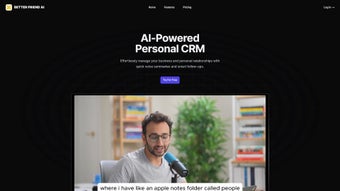

Download BetterFriendAI – AI‑Powered Networking Assistant, Voice Transcription & Smart Follow‑Ups
Overview
In today’s hyper‑connected business world, the ability to capture and recall spoken information quickly can be the difference between a closed deal and a missed opportunity. BetterFriendAI answers that need with a cloud‑native, AI‑driven platform that turns any voice note, meeting recording, or impromptu conversation into a searchable transcript, a concise summary, and an actionable follow‑up plan. The service is built around three core pillars: **automatic transcription**, **intelligent summarization**, and **proactive networking assistance**.
By extracting names, dates, commitments, and even subtle sentiment cues, BetterFriendAI creates a personal knowledge hub that grows with every interaction. Professionals—from sales leaders and consultants to solo entrepreneurs—can rely on the tool to remember the details that matter, allowing them to stay present in conversations rather than scrambling for a pen or laptop. The free tier offers unlimited recordings with essential transcription and note‑organizing features, while the premium plan unlocks advanced analytics, custom tagging, and priority AI processing.
Whether you are preparing for a high‑stakes client call or trying to keep track of a bustling networking event, BetterFriendAI provides a secure, scalable, and friction‑free solution that integrates seamlessly into any modern workflow.
Key Features & Benefits
- Automatic Voice Transcription: Record directly in the browser or upload existing audio files. The AI engine produces near‑real‑time text with industry‑leading accuracy, handling multiple speakers and varied accents.
- Intelligent Summarization: Long recordings are condensed into bullet‑point overviews that highlight decisions, action items, and key insights, saving you hours of manual note‑taking.
- Smart Follow‑Ups: Based on conversation history, the system suggests three to five personalized questions or next‑step prompts, ready to be copied into email drafts or CRM entries.
- Energy Boosters (Pro): An analytics dashboard that scores contacts by interaction frequency, sentiment, and responsiveness, helping you prioritize high‑impact relationships.
- Custom Tagging & Natural‑Language Search: Organize transcripts with tags, folders, and AI‑powered queries like “show all meetings with John about pricing.”
- Secure Cloud Storage: End‑to‑end encryption (TLS for transit, AES‑256 at rest) ensures compliance with GDPR, CCPA, and other data‑privacy regulations.
- Cross‑Platform Web Access: As a progressive web app, BetterFriendAI works on Windows, macOS, Linux, iOS, and Android without separate installers.
- Generous Free Tier & Scalable Premium Plans: Unlimited recordings on the free plan; the Pro subscription adds advanced analytics, priority processing, and dedicated support.
Together, these features create a workflow that not only captures information but also transforms it into strategic assets. The AI‑driven summarization reduces information overload, while Smart Follow‑Ups keep relationships warm without the mental fatigue of brainstorming. Energy Boosters give data‑driven insight into which contacts are most likely to generate revenue, allowing you to allocate your outreach time more efficiently. Security and compliance are baked in, so you can trust that sensitive business conversations remain private. Whether you are a solo freelancer looking for a free, reliable transcription tool or a growing sales team needing advanced analytics, BetterFriendAI scales to meet those demands.
Installation, Usage & Compatibility
BetterFriendAI is designed for maximum accessibility—there is no heavyweight installer, and everything runs inside a modern web browser. Below is a step‑by‑step guide that walks you through account creation, recording, and leveraging the platform’s AI capabilities, followed by a brief overview of compatible operating systems.
Step‑by‑Step Setup
- Create Your Account: Visit betterfriendai.com, click “Sign Up,” and register using an email address, Google, or Microsoft account. After confirming your email, you’ll land on the dashboard where the recording interface lives.
- Grant Microphone Permissions: When prompted, allow the web app to access your device’s microphone. BetterFriendAI uses the Web Speech API for initial capture, then streams audio securely to the backend for AI processing. Permissions are stored locally, so you won’t be asked again unless you clear your browser data.
- Record or Upload Audio: Click the prominent red “Record” button, speak naturally, and press “Stop” when finished. You can also drag‑and‑drop MP3, WAV, or AAC files for transcription. Processing begins within seconds, and the raw transcript appears in the “Transcription” tab.
- Review & Edit: Uncertain words are highlighted in yellow, allowing you to edit in‑place. Once satisfied, hit “Summarize” to generate a concise overview linked to the original transcript.
- Generate Smart Follow‑Ups: Navigate to the “Follow‑Ups” tab; the AI proposes personalized questions or next‑step actions based on the recorded content. Copy them directly into email drafts or CRM notes with a single click.
- Explore Energy Boosters (Pro Only): Premium users can open the “Energy Dashboard” to view visual maps of engagement levels, optimal outreach windows, and sentiment predictions for upcoming calls.
All data syncs automatically across devices, so you can continue on a laptop, tablet, or smartphone without missing a beat. Updates are delivered silently—new AI models and UI enhancements roll out to every user the moment they are released.
Supported Operating Systems
BetterFriendAI runs as a progressive web app, meaning it works on any modern browser that supports WebRTC and the Web Speech API. Officially supported platforms include:
- Windows 10/11 – Chrome, Edge, Firefox, Brave
- macOS Monterey and later – Safari, Chrome, Firefox
- Linux distributions – Chromium‑based browsers (Chrome, Edge)
- iOS 14+ – Safari or Chrome (add to Home Screen for app‑like experience)
- Android 9+ – Chrome or Samsung Internet (install as PWA for quick access)
Because the application is browser‑based, there is no need for separate download files or system‑specific installers, which dramatically reduces setup time and eliminates compatibility headaches. Users on older devices can still benefit from core transcription and summarization features, though advanced analytics require a modern browser with full WebRTC support.
Pros, Cons, FAQ & Conclusion
Pros
- Zero‑install, browser‑based access works on all major OS platforms.
- High‑accuracy transcription powered by state‑of‑the‑art language models.
- Automated summarization cuts manual note‑taking time by up to 80 %.
- Smart Follow‑Ups turn transcripts into ready‑to‑send outreach content.
- Energy Boosters provide data‑driven insight into high‑value contacts.
- End‑to‑end encryption and GDPR/CCPA compliance protect sensitive data.
- Generous free tier suitable for freelancers, small teams, and startups.
- Cross‑device sync ensures continuity between desktop and mobile.
Cons
- Premium analytics (Energy Boosters, advanced tagging) require a paid subscription.
- Internet connection is mandatory; offline recording is not supported.
- Transcription accuracy may dip with heavy accents or noisy environments.
- Some power users may prefer a native desktop client for deeper OS integration.
- Advanced analytics have a learning curve for non‑technical users.
Frequently Asked Questions
Is BetterFriendAI really free to use?
Yes. The core voice‑to‑text transcription, basic summarization, and secure cloud storage are available at no cost. Unlimited recordings are supported on the free plan.
Can I use BetterFriendAI on my mobile device?
Absolutely. As a progressive web app, it runs in iOS and Android browsers and can be added to the home screen for an app‑like experience.
How secure is my data?
All recordings, transcripts, and notes are encrypted in transit (TLS) and at rest (AES‑256). BetterFriendAI complies with GDPR and CCPA, and you can permanently delete any record from your dashboard.
What is the “Energy Boosters” feature?
Energy Boosters is a premium analytics module that scores each contact based on interaction frequency, sentiment, and follow‑up responsiveness, highlighting high‑energy connections and suggesting optimal outreach times.
Do I need any special hardware to record?
No special hardware is required—any built‑in microphone on a laptop, smartphone, or tablet works. For best results, use a quiet environment or an external headset with noise‑cancelling capabilities.
Conclusion & Call to Action
BetterFriendAI stands out as a purposeful blend of AI transcription, intelligent summarization, and proactive networking tools. By turning every spoken interaction into a searchable, actionable asset, it helps professionals protect the intangible value embedded in their conversations. The generous free tier offers a compelling entry point, while the premium plan unlocks sophisticated analytics that can transform how you nurture high‑energy relationships. If you’re looking to eliminate manual note‑taking, boost follow‑up efficiency, and gain data‑driven insight into your network, BetterFriendAI is a secure, scalable solution that integrates effortlessly into any workflow. Download BetterFriendAI now and start converting voice notes into lasting professional value.
BetterFriendAI delivers a polished, AI‑powered experience that transforms voice notes into actionable insights. Its free tier is generous, and the premium features—especially Smart Follow‑Ups—are game‑changing for relationship‑focused professionals. While offline recording is a missing piece, the overall value and security make it a top choice for modern networking.



.png)



